📋 Table of Contents
1. Introduction & About This Page
Welcome to the Navigation Patterns demo page. This page was created by Paladugu Venkata Bharath as part of the HTML Fundamentals Assessment — Task 2. It demonstrates various linking techniques in pure HTML, including anchor links, relative links, download links, email/phone links, and image maps.
Bharath is a Computer Science Engineering graduate from Saveetha School of Engineering, Chennai, with strong expertise in Python, Machine Learning, and Web Development. All links on this page are written using clean, simple HTML only — no JavaScript or CSS files used.
2. Relative Links to Other Pages
Below are links to other HTML pages in this project folder. These are called relative links because they point to files within the same project, not external websites.
| Page Name | File Path | Link |
|---|---|---|
| About Page | pages/about.html |
Open About Page → |
| Contact Page | pages/contact.html |
Open Contact Page → |
| Help & Resources | resources/help.html |
Open Help Page → |
3. Download Links
The links below allow users to download files directly to their computer.
The download attribute tells the browser to download the file instead of opening it.
- 📄 Download My Resume (PDF) — Paladugu Venkata Bharath — CSE Graduate Resume
- 📝 Download Notes TXT — HTML Assessment study notes by Bharath
💡 Note: The download attribute makes the browser save the file automatically.
You can also give it a custom filename like download="my-notes.txt".
4. Contact Links (Email & Phone)
HTML allows you to create links that open an email client or dial a phone number directly. These are very useful on contact pages and business websites.
-
✉️ Email Link:
Send Email to paladugubharath7@gmail.com
(Opens your email app with subject and message pre-filled) -
📞 Phone Link:
Call +91 93928 57172
(Opens phone dialer on mobile devices)
💡 Tip: In the mailto: link, spaces are written as %20
and new lines as %0A in the URL.
5. Image Map — Clickable Regions
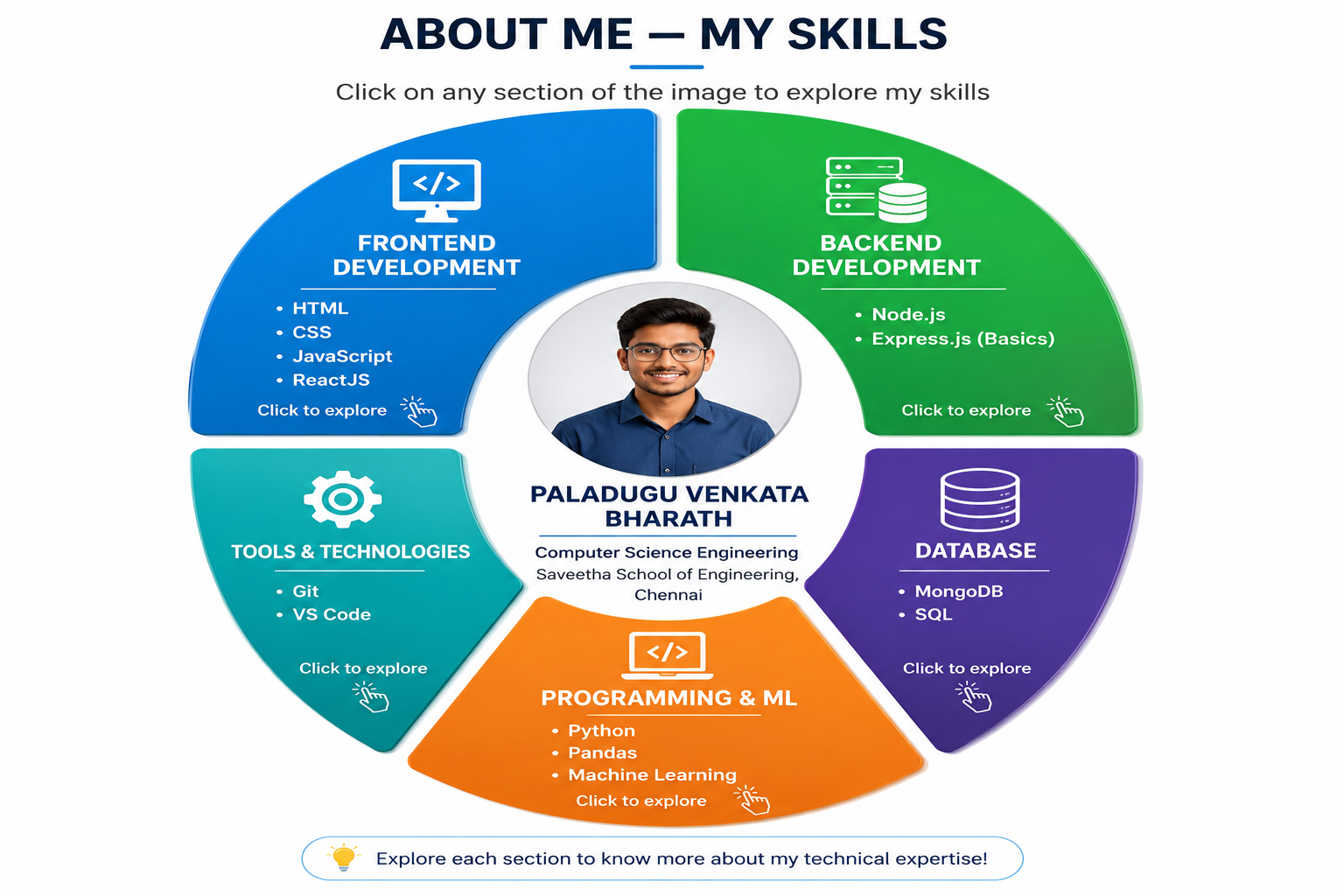
An image map lets you make different parts of a single image clickable. The image below represents the profile of Paladugu Venkata Bharath — a Computer Science Engineering graduate from Saveetha School of Engineering, Chennai. Click anywhere on the image to jump directly to the Skill Set section below.
👆 Click on the image below — it will take you to the Skill Set section:
6. Skill Set — Resume Details
This section shows the complete skill set and resume details of Paladugu Venkata Bharath. You arrived here by clicking the image map above. Each row below matches one clickable region from that image.
| Resume Section | Details from Resume |
|---|---|
| 🛠 Skills & Tech Stack |
Programming: Python Web: HTML, CSS, JavaScript, ReactJS Database & Tools: SQL, MongoDB, Git Libraries: Pandas Core Concepts: Machine Learning, Data Processing, OOP |
| 📁 Project |
SMS Spam Filtering using Machine Learning Python, Machine Learning, Pandas • NLP techniques — tokenization, stop-word removal, TF-IDF vectorization • Models: Logistic Regression & Random Forest • Evaluated using accuracy, precision, recall, F1-score • Real-time spam detection pipeline |
| 💼 Internships |
IMARTICUS — Project Intern (Jul 2023 – Sep 2023) • ML models using Random Forest & Logistic Regression for fraud detection • Data preprocessing and feature engineering Bharath Intern — Web Developer (Jan 2024 – Feb 2024) • Dynamic registration system with SQL backend • Responsive UI using HTML, CSS, JavaScript |
| 🎓 Education & Certifications |
Saveetha School of Engineering, Chennai (2021 – 2025) B.E. in Computer Science and Engineering Certifications: • Oracle Certified Foundations Associate (2024) • MongoDB Certification (2024) • AWS Cloud Practitioner Essentials (2024) |
| 📍 Paladugu Venkata Bharath — Andhra Pradesh, India | 📧 paladugubharath7@gmail.com | 📞 +91 93928 57172 | |
7. Summary & What I Learned
In this task, I practiced all major HTML linking techniques. Here is a quick recap of what was covered:
- ✅ Anchor links — jump to sections on the same page using
#id - ✅ Relative links — navigate between pages in the same project folder
- ✅ Download links — let users download PDF and TXT files
- ✅ Email links — using
mailto:with subject and body - ✅ Phone links — using
tel:for mobile dialers - ✅ Image maps — multiple clickable areas on one image (rect, circle, poly)
- ✅ Back to Top links — in every section for easy navigation
All of the above was done using pure HTML only — no CSS files, no JavaScript. As a CSE graduate with experience in HTML, CSS, JavaScript, and ReactJS, this is a solid foundation that Bharath built to demonstrate front-end HTML skills!